Flashka 5.2: Mindmaps v2 Unleashed 🧠
Hey Flashka fam! 👋
The clocks went back, the evenings got darker, and so did Flashka 🌙 (more on that below)
Midterms are coming up, so this update is all about making studying feel smoother. Mindmaps that finally let you think freely, drag and drop literally everywhere, and a Prof. Ka that's smarter and a lot less buggy.
Quick list of what's inside:
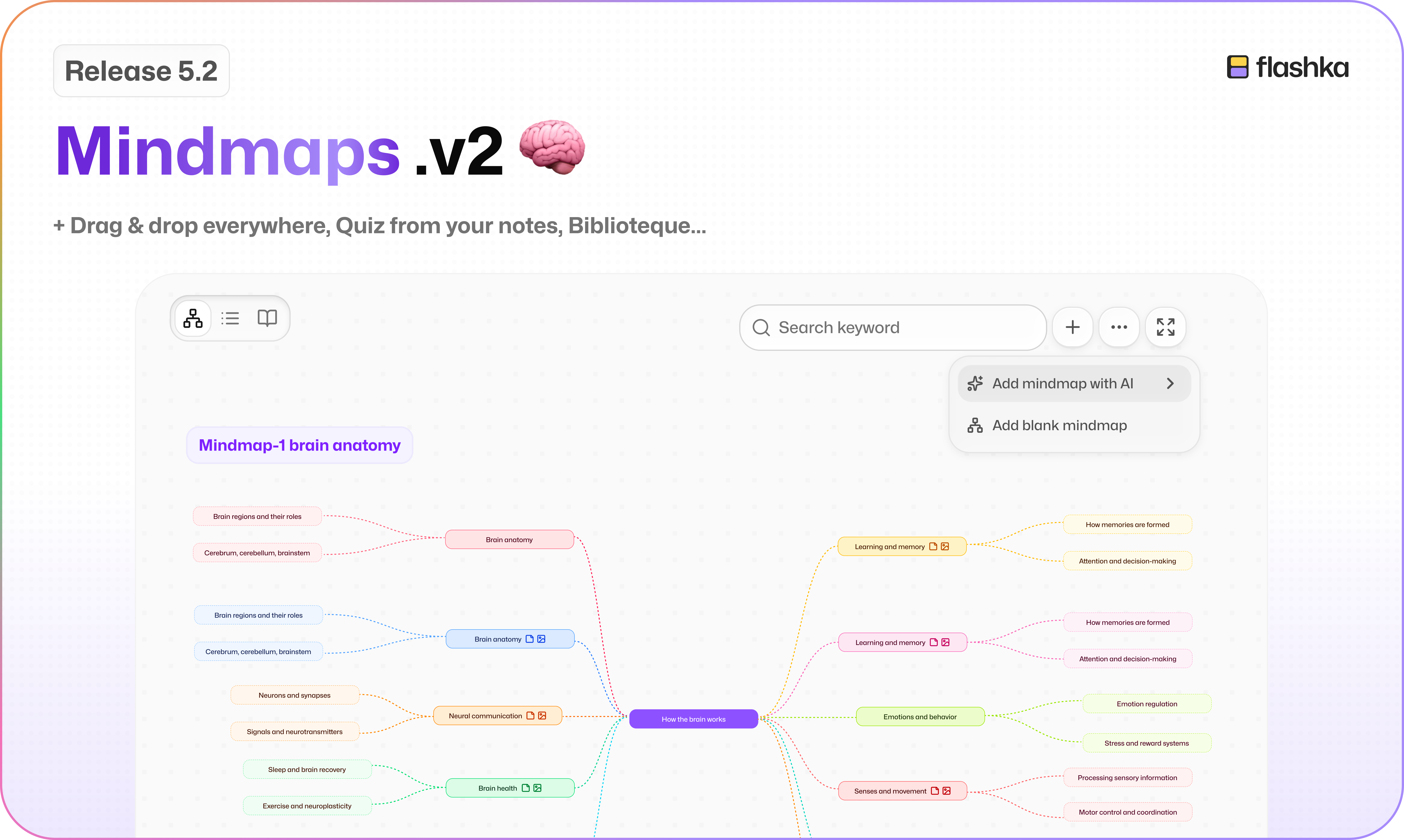
Mindmaps v2: a free-form canvas 🧠
Drag & drop everywhere 🫳
Quiz from your notes 📝
Biblioteque: 85 textbooks for Italian high schoolers 🇮🇹
Dark mode, rebuilt 🌙
Pick up where you left off on app📍
A smarter Prof. Ka 🤖
Catalan joins the party 🇦🇩
Let's dive in 👇
1. Mindmaps v2: Your Own Board 🧠
Mindmaps used to be a fixed tree that Ka drew for you. Take it or leave it.
Now they're a whiteboard you shape yourself, with Ka as your helper. On web, iPhone and iPad.
First, the important bit: your existing mindmaps still work.
They open on the new canvas automatically, and nothing is lost 🙏🏻
Draw it your way ✍️
Your brain doesn't think in neat little branches. Your mindmap doesn't have to either.
Connect any idea to any other, or leave ideas floating on their own
Mark the big topics as main nodes
Add nodes, drag to connect them, move things around
Put a note, an image or a link on any node
Format your text, and yes, maths works too 🧮
Undo, redo, and Tidy up when it all gets a bit chaotic
Deleting an idea never deletes what's attached to it
Want to start from scratch?
Hit Create manually.

AI auto-expand 🤖
Generate again and the new map lands below what's already there. Your edits are never wiped 😮💨
And on every node:
AI Autocomplete writes the text from your material
AI Suggest nodes adds related ideas around it
Make any text shorter, simpler, or grammar-fixed

Organise your map 🗂️
For those chapters that turn into monsters:
Zones group related ideas in a coloured area
Sheets split one map into pages
Layers show just the first 1, 2, 3 levels around your main topics, so you can open the rest step by step
Style it all: node colours, outlines, curved or angular lines, dashed or solid 🎨

Three ways to see it 👀
Edit view: the canvas
Outline view: your whole map as a list

Focus view: go through ideas one at a time

Find anything, trace everything 🔍
Search your map and jump from match to match
View source opens the exact passage in your PDF or notes that an idea came from, coloured to match its branch

And a few extras ✨
Go full screen, with Prof. Ka still one tap away
Download your map, pictures and maths included 📥
In study groups, everyone can see the maps of whoever shared the set 👯
2. Drag & Drop Everywhere 🫳
If you can see it, you can probably drop something on it.
Drag files onto Home, a folder, a study group, the create dialog, a set's sources, or straight into Ka chat. On web, phone and iPad.

Drop a recording and it gets transcribed, with a language step for each one 🎙️
On the app, drag a piece of a PDF or an image occlusion selection into Ka chat or onto a card ✨
3. Quiz Yourself on Your Notes 📝
Your notes are now a quiz source.
Pick Notes when you create a quiz, choose the chapters you want, and Ka turns them into questions. On web and mobile.

4. Biblioteque 🇮🇹📚
This one is just for our Italian high-school students.
Studenti del liceo, this is for you: 85 of Flashka's own textbooks for liceo scientifico and classico, years 1 to 5.
Read them on web or in the app, and turn any page into a set in one tap.

Find it in the sidebar on web, the rail on iPad, and its own tab on your phone. If you're an Italian high-school student, it's already waiting for you 💜
5. Dark Mode, Rebuilt 🌙
Dark mode got a full makeover on web and app. Easier on the eyes for those late-night sessions 🦉

On web, Cmd/Ctrl + Shift + D flips between light and dark in a second.
6. Flashka Feels Smoother 🪄
A bunch of small things that add up to a much nicer Flashka:
Pick up where you left off: reopen a set and you're back on the same view, same material, same PDF page, same note, even the same moment in a recording 📍
New loading experience: no more boring spinners. Ka now acts out what's happening while your material processes, reading, transcribing, writing questions 🎭
New Ka animations when you claim Mastery Points, finish a session, or unlock a streak 🔥
A new launch intro on the app, with animated Ka everywhere
The app now tells you when you're offline or reconnecting, instead of silently judging you 📶
The + in a set remembers your last card type
Home on web now greets you by name 👋
7. A Smarter Prof. Ka 🤖
Ka got a brain upgrade and a proper bug hunt.
Ka now runs on a newer, stronger model 🧠
Ka knows Flashka better: what's on your platform, your plan's limits, and it replies in whatever language you write in
Oral exam reports are fairer: scored per question, based on your actual material, in your exam's language, and they always load
Highlight → cards makes more cards from longer selections
And we fixed 22 bugs in Ka chat, including:
Replies no longer vanish when you rotate your iPad or close the mini chat
Stop actually stops Ka now (he was a bit enthusiastic) 🛑
Maths and tables display properly on mobile
Credits are refunded exactly when something goes wrong
8. Little Fixes & Polish ✨
We also shipped a pile of smaller improvements:
Catalan is now available as a language on web and app 🇦🇩
Spaced repetition: a card kept repeating on the night the clocks changed. Time travel fixed ⏰
🇪🇸 Files load again in Spain during LaLiga matches, when some internet providers block them. Yes, really ⚽
Your study history no longer gets lost between devices, and Undo is reliable
"Flashcards" is now properly translated (fiszki, Karteikarten, cartes, tarjetas…)
Pasting an image into a card works again on web
Print-protected PDFs now upload on the app
Fixed a crash during live recording, a freeze when running the iPad app on a Mac, and an error when deleting a set mid-upload 🐛
Coming Soon @Flashka 💜
As always, you decide 🫵
Drop a comment with the one you want next:
Notes revamp📒
Auto-generated flashcards with images, plus automatic image occlusions 🖼️
Whatever u suggest!!👀
Flashka News 📰💜
A new member has joined the team, say hi to Justina, who’s gonna take care of our British expansion!

And as always, if you'd like a few months free: come and chat with me or Ayushi. Share your ideas and feedback, and if they're useful we can hand out up to a whole year 🎁
📞 Book your slot here: https://cal.com/simoneflashka/have-a-chat-with-me-get-life-time-access
So go build a huge mindmap, drag your whole semester into Flashka, and switch the lights off 🌙 Then tell us what you think :))
Happy studying ✨
Simo & The Flashka Team 💜