Flashka 5.0: Plan your Exam + Social Features 📆 👯♂️
Hey Flashka fam! 👋
This is the big one
Not "we added a button" big,
5.0 big 🎉
You've always had the tools.
What you never had was something suggesting you what to study today.
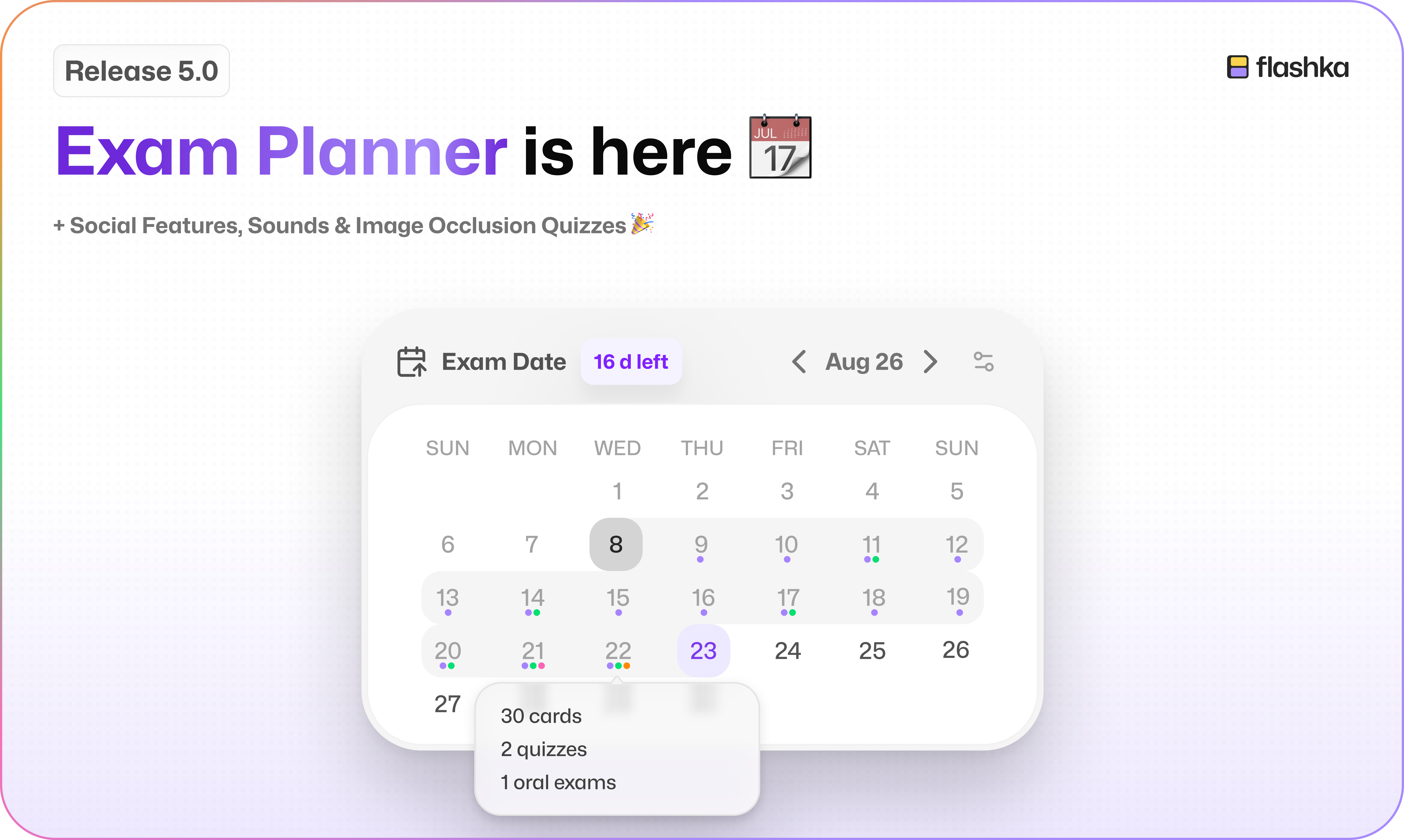
So we built it: tell Flashka when your exam is, and it builds your plan all the way to exam day.
And you asked for it, so Flashka is social now too: profiles, followers, leaderboards… 👯
We also rebuilt how Flashka is organised, gave it a voice (yes, sounds 🔊), and added image occlusions in Quizzes👀
Let's dive in 👇
1. Plan Your Exam 🗓️
This is the feature we've wanted to build since day one.
Go to the Study tab and hit Set exam date. Then tell us three things:
When your exam is 📅
Which tools you want to use: flashcards, quizzes, case studies, oral exams
Which days of the week you actually want to study
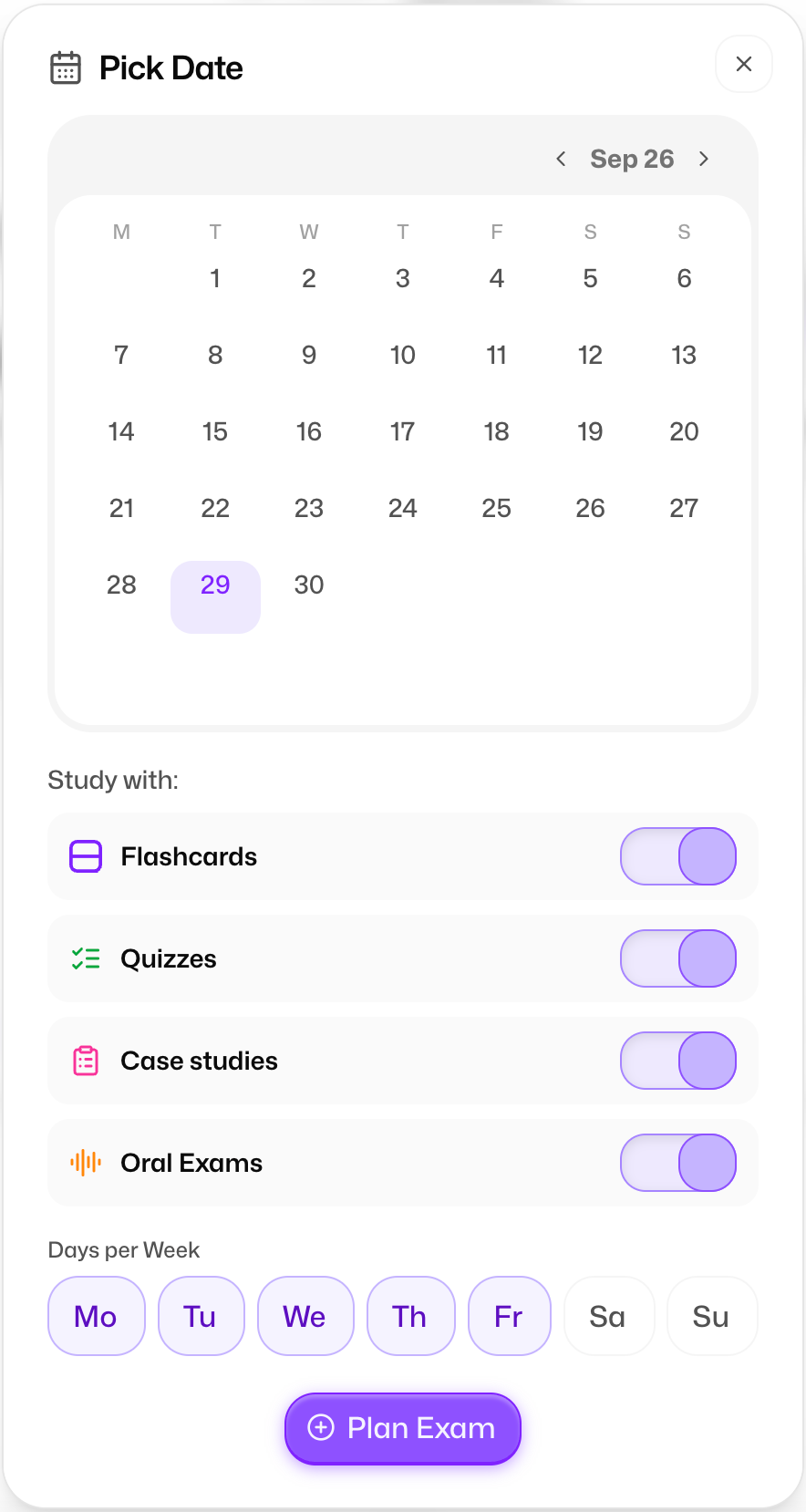
That's it.
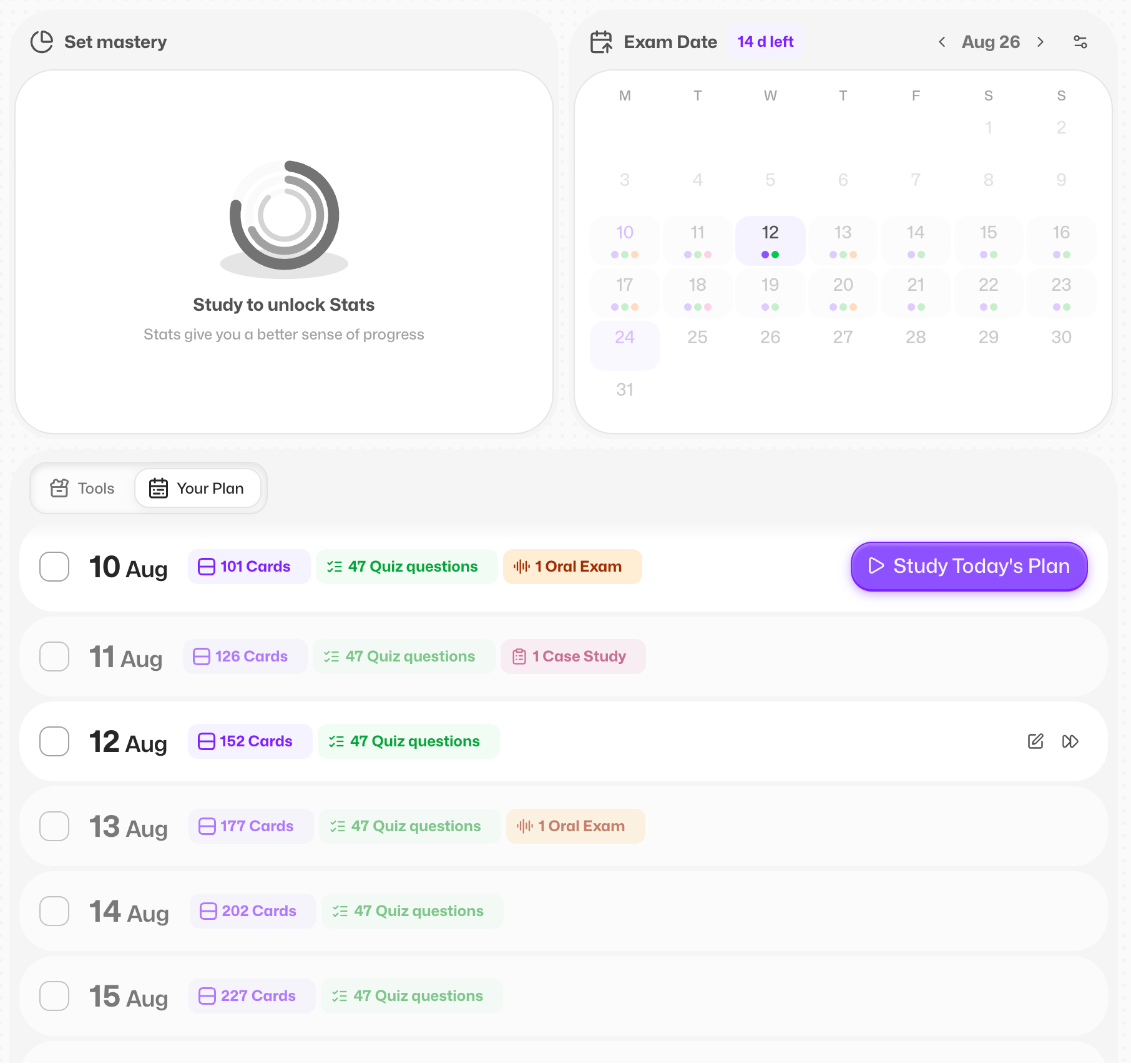
Prof.Ka looks at what's in your set and builds a full plan to get you there prepared.
It bends to your life, not the other way round 🤸
Nothing here is set in stone.
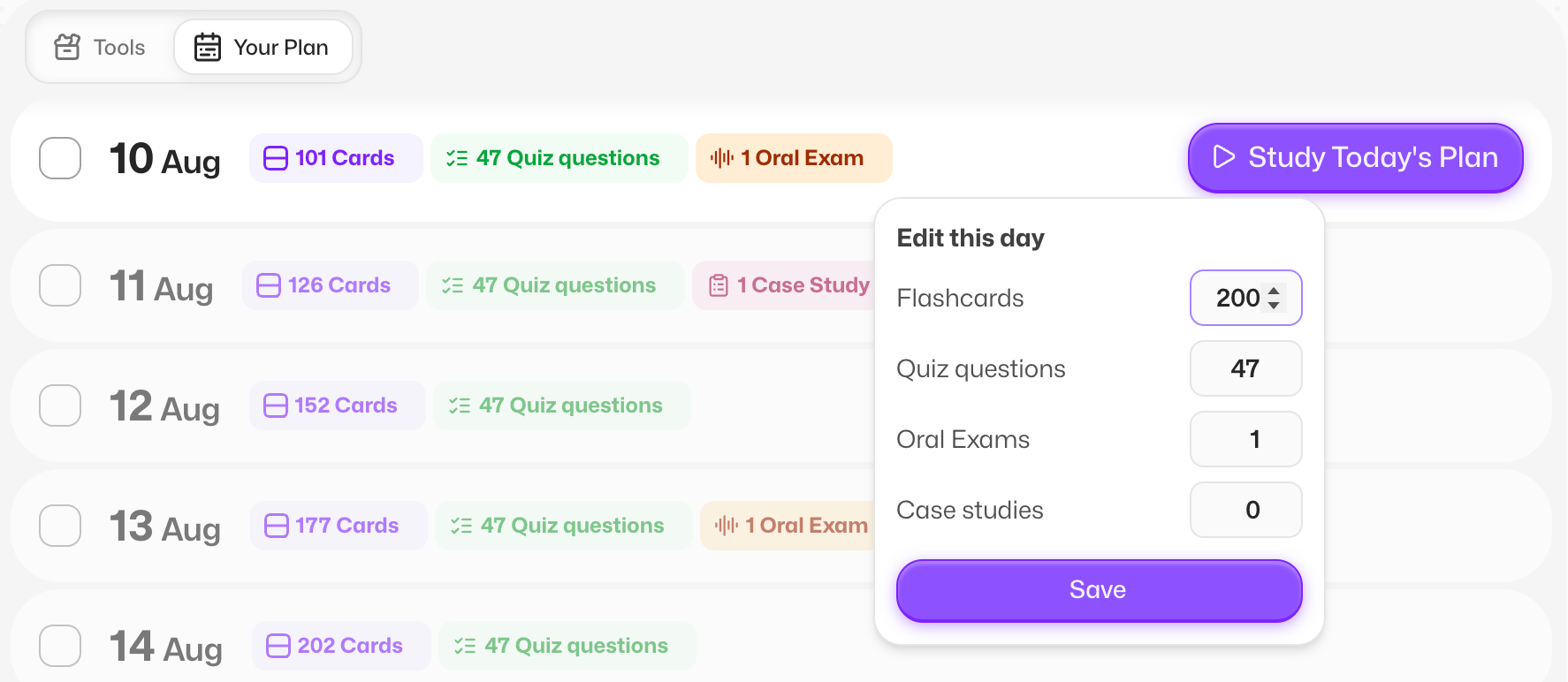
Tap the edit icon and change:
How many questions your quizzes have
How many oral exams you do
How many case studies you do
How many flashcards you study each day
Change one thing and everything else recalculates around it.
Skipped a day?
Relax.
Your plan rebuilds itself around the days left before your exam. You can also skip a day on purpose with the skip icon, no guilt involved 😌
And your flashcards still follow spaced repetition, so the plan works with your memory rather than against it.
Then every day, just hit Study today's plan and get going.
Set Mastery: see how ready you actually are 🎯
Once you start studying, a new graph appears with three rings:
Inner ring, Memory 🧠: your flashcard progress, based on spaced repetition
Middle ring, Quizzes & Exams 📝: your quizzes, oral exams and case studies
Outer ring, Overall ✨: the average of the two, your big picture
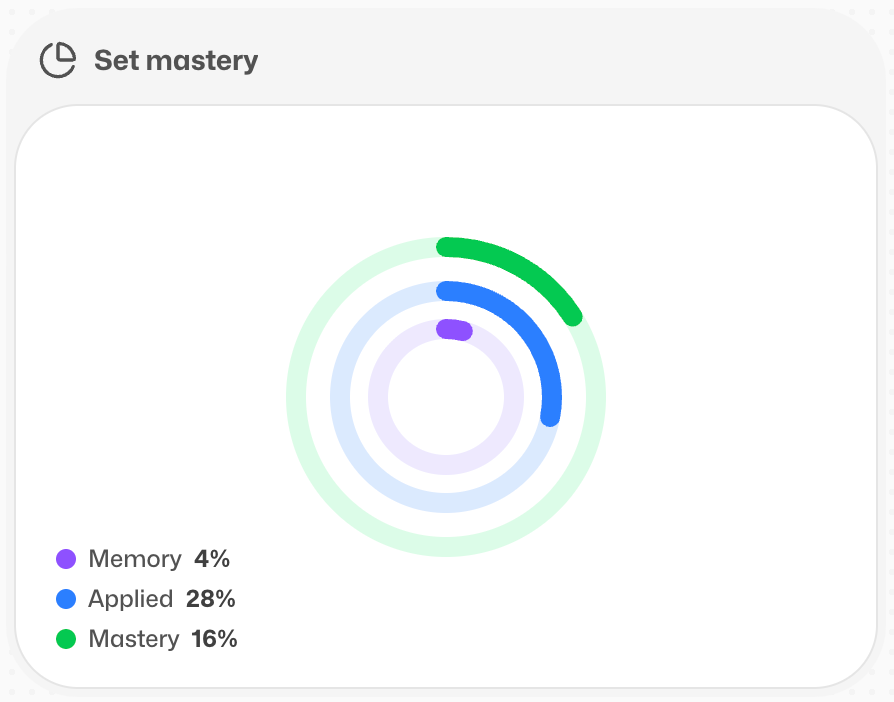
One honest warning about Memory: it can go down 📉
That's the point. Spaced repetition means cards you haven't seen in a while slide back into review, so they stop counting as memorised. It's not Flashka punishing you, it's Flashka telling you the truth about what you'd actually remember tomorrow.
Study them again and the ring fills back up <33
2. A New Architecture: Create and Study 🏗️
Making your study material and actually studying it are two very different moods.
So we split them into two tabs: Create and Study.

Inside Create, everything is on one screen.
On the left, all your sources:
Documents
Notes
Mind maps
Transcripts (when you have them)
On the right, everything you can make from them:
Chat with Prof. Ka
Flashcards
Quizzes, Exams & Case studies
Once something's created, there's a shortcut to go straight into studying it, and it feeds into your plan over in the Study tab.
Miss the old full-screen view? It's still there.
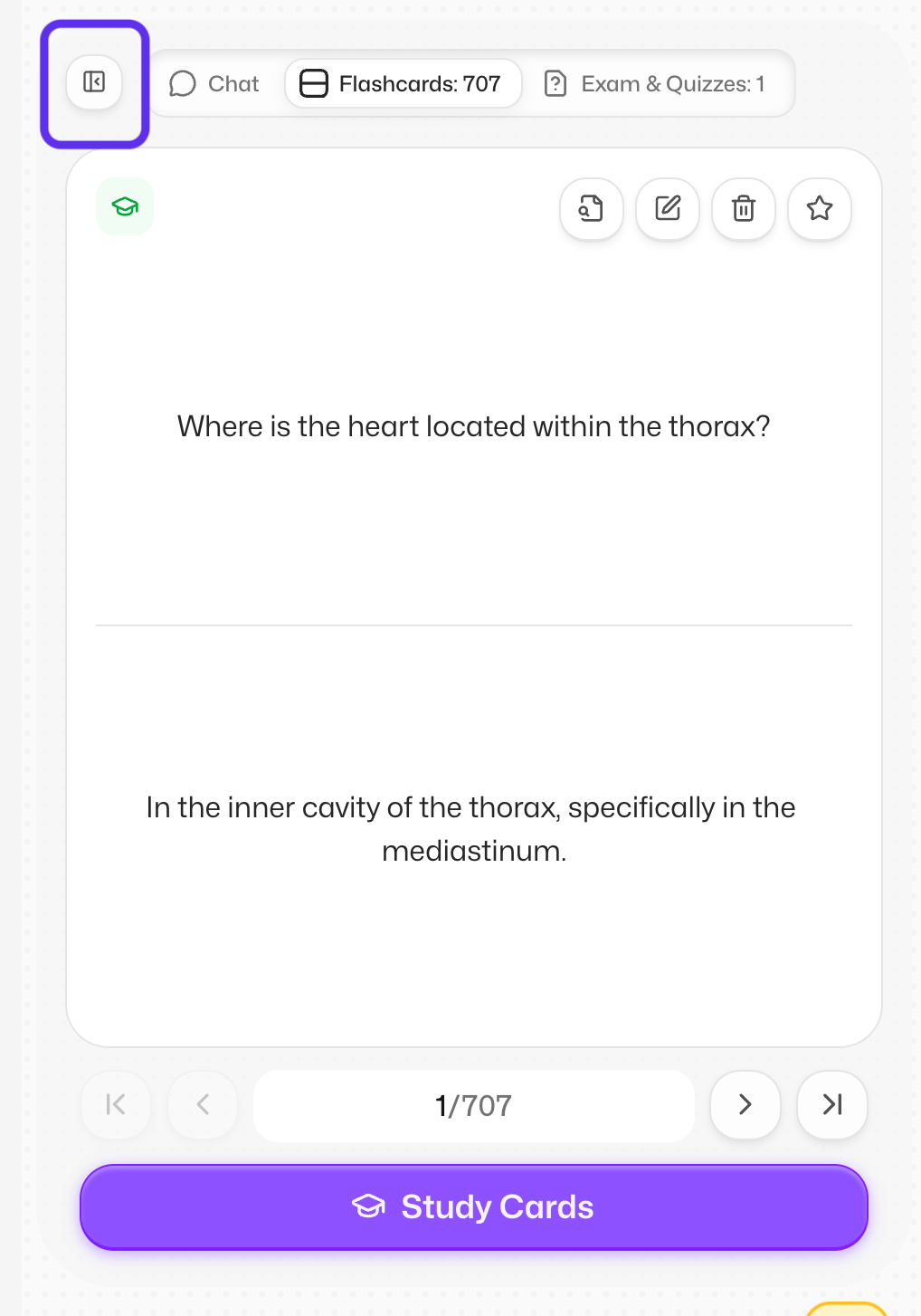
Just hit the expand button and your flashcards, quizzes and chat go full size like before ⛶
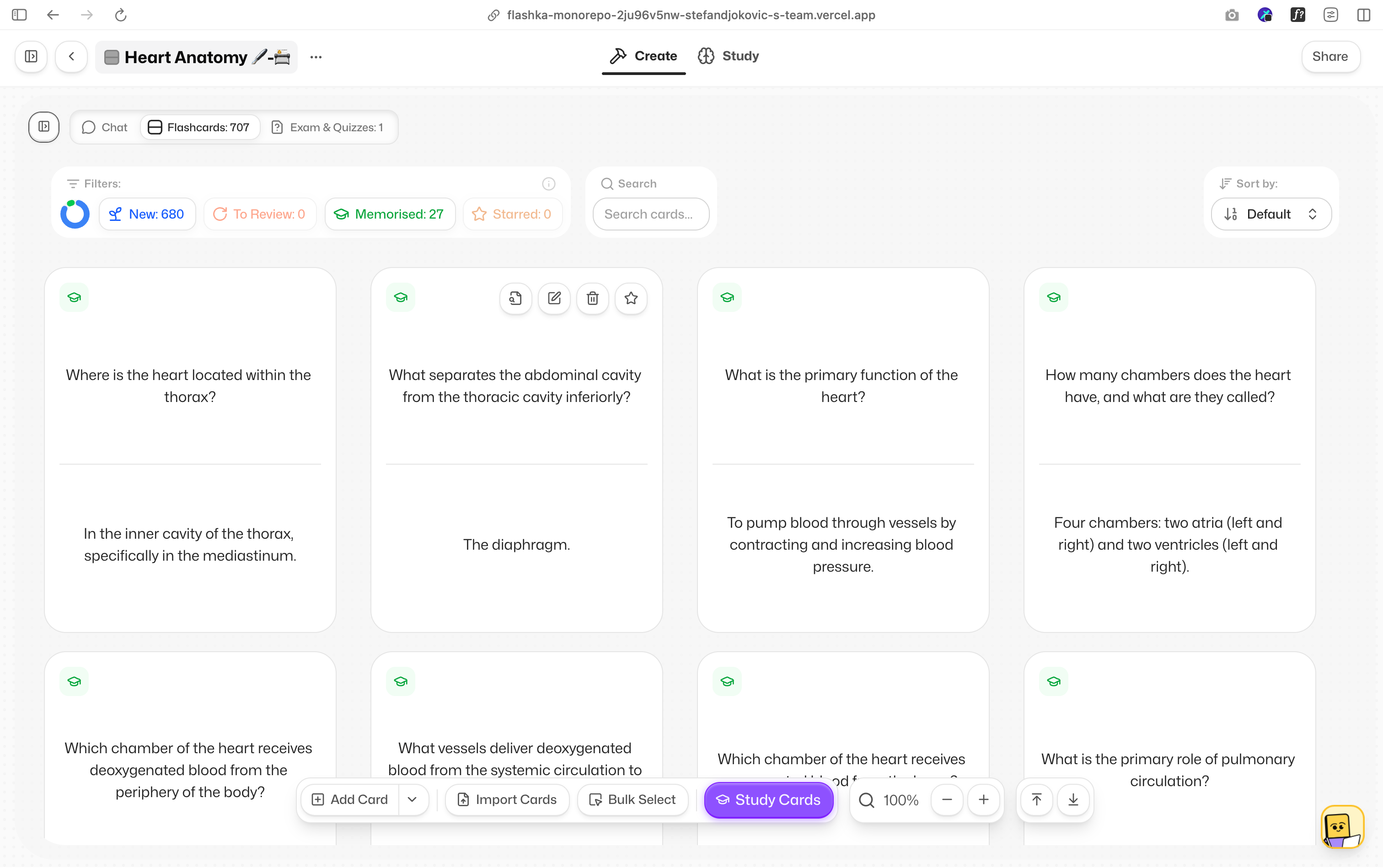
This is one of the biggest changes we've ever made, and it's a signal of where we're heading: not a flashcard tool, but the only study tool you need 💜
Tell us honestly how it feels.
This one matters to us.
3. Flashka Goes Social 👯
Studying alone is fine. Studying with people is better.
So Flashka now has public profiles (thanks to @Kuba (Software Engineer @Flashka))
Add your university and your field of study, and you're on the map 🌍
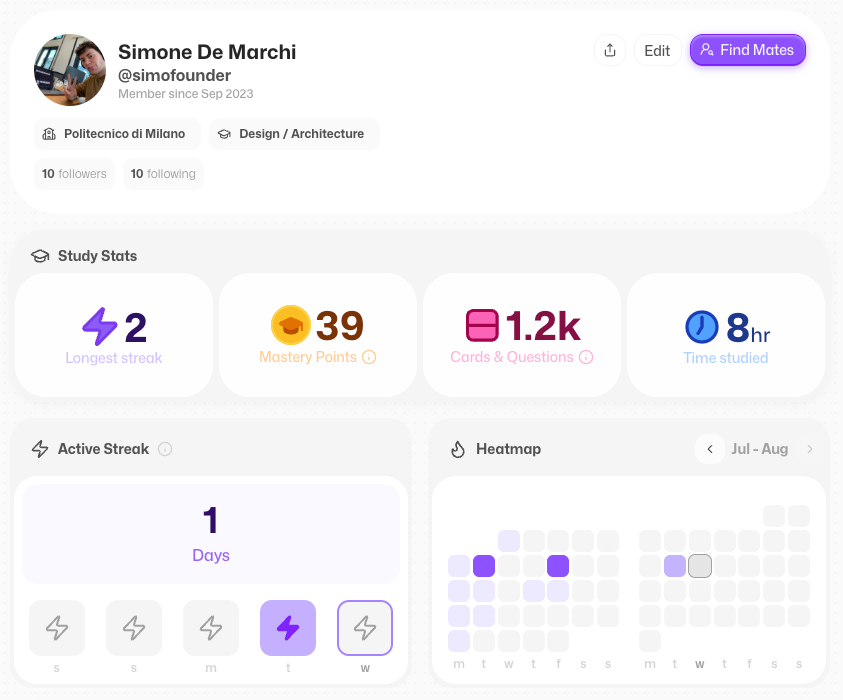
To find people, tap your profile in the top left and then the find mates button (global search bar works too)
From there you can start following friends, classmates and anyone else worth keeping up with.
Your stats, finally in one place 📊
Your profile shows off everything you've been building:
Followers and following 👥
Your longest streak 🔥
Total mastery points earned 💎
Total hours studied on Flashka ⏱️
Underneath you'll find your active streak and a heat map of everything you've done. Yes, it's as satisfying to fill in as it sounds 😌
People you might know 🔎
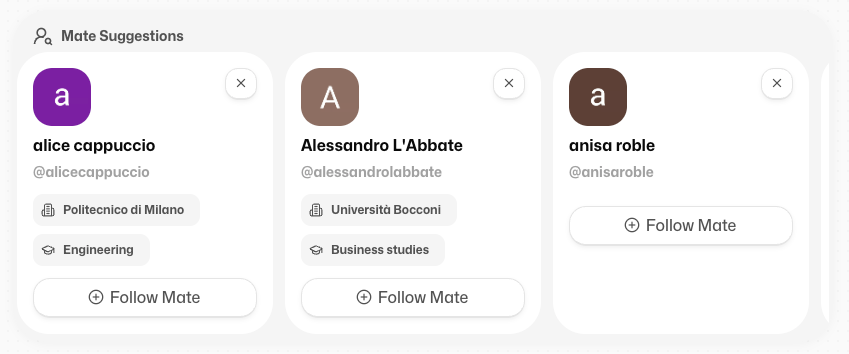
At the bottom, we suggest people worth following: friends of your friends, people from your university, and people studying the same thing as you.
Leaderboards, now everywhere 🏆
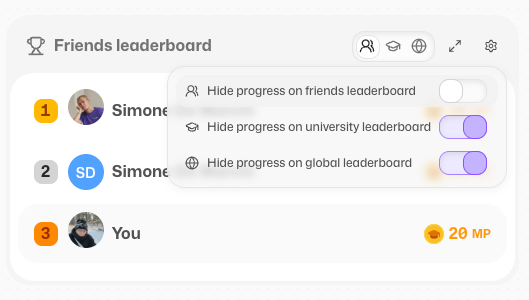
Add the Leaderboard widget from your usual widget menu in the home and you get three of them:
Friends 👯
Your university 🎓
Global 🌍
It's also a nice way to spot people to follow.
Notifications 🔔
New follower? Something happening?
There's now a bell on the left with all your notifications, so nothing slips past you.
Your privacy, your call 🔒
Want none of this?
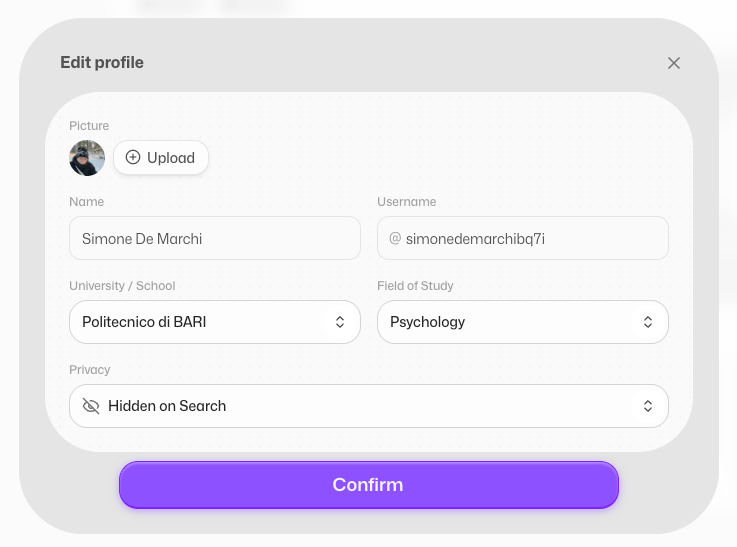
Set yourself to invisible (hidden on search) and no one can see you.
You can change your university and field of study whenever you like.
One important note: Flashka Social is only available if you're 16 or over.
4. Flashka Has Sounds Now 🔊
Admit it, you've thought about this.
Flashka now makes little sounds as you flip, tap and study etc…
And you get to pick the vibe.
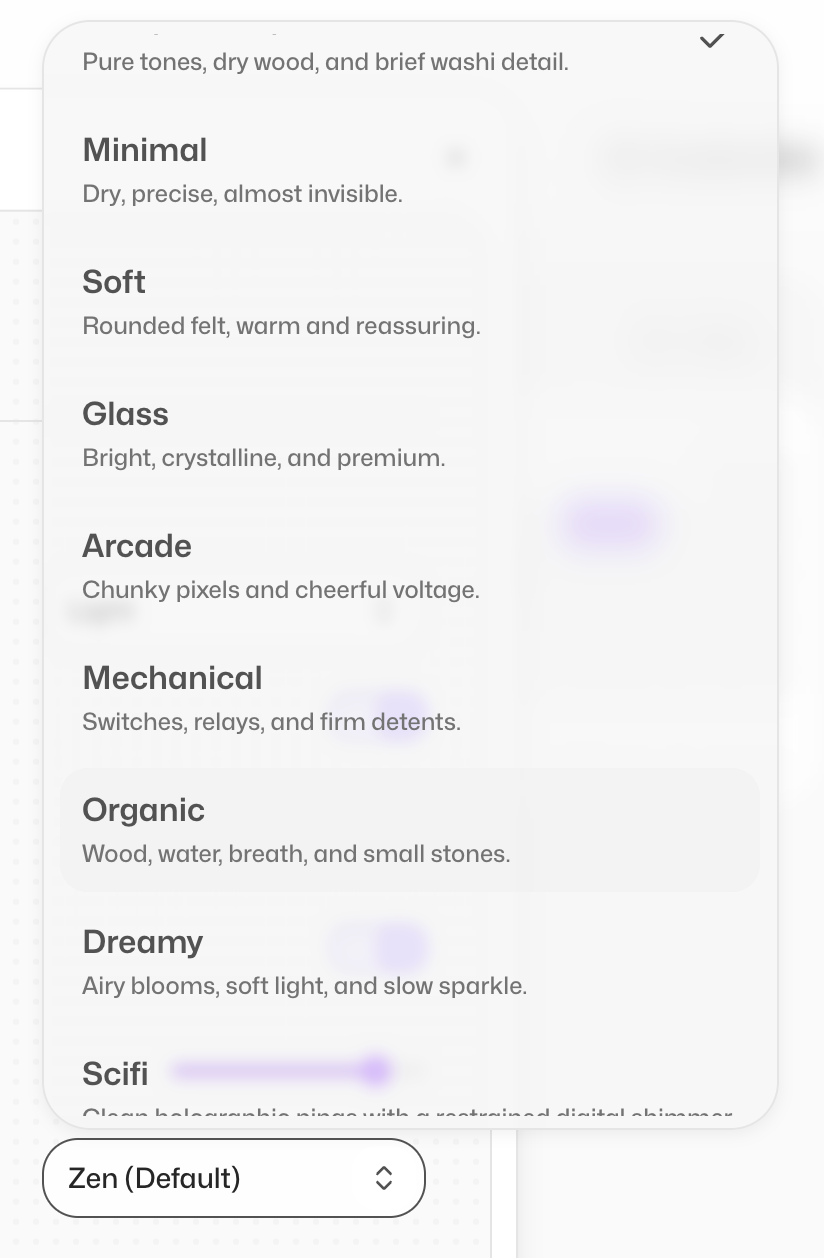
Head to Settings and choose your sound pack:
Zen 🧘 minimal and calm, the default
Arcade 🕹️ playful, slightly chaotic
Mechanical ⌨️ bold and clicky
and a way more to try…
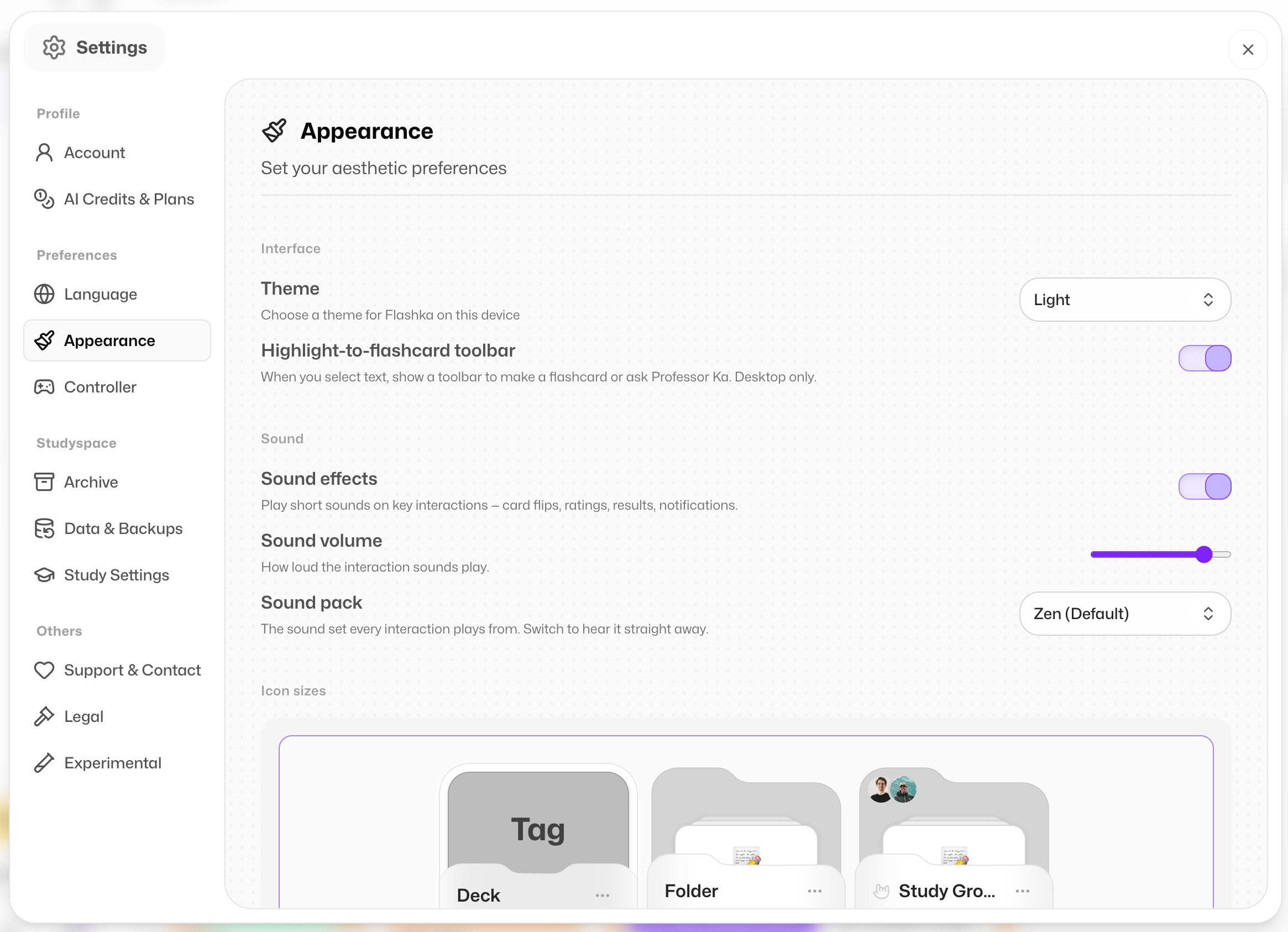
Not your thing?
Turn the volume down, or switch sounds off completely.
No hard feelings :))
4. Little Fixes & Polish ✨
We also shipped a pile of smaller improvements:
Our new design system keeps rolling out, so you'll spot freshly redesigned bits appearing week by week 🎨
We're bringing those same pieces to the app, so soon the phone and iPad apps will match web feature for feature, with a full redesign to make everything simpler 📲
Fixed bugs with decks appearing as empty
Coming Soon @Flashka 💜
As always, you decide 🫵 Drop a comment with the one you want next:
More social features: tell us what you want to do with your new friends 👯
Auto-generated flashcards with images, plus automatic image occlusions 🖼️
A full app redesign 🎨
Flashka News 📰💜
While we hope you're enjoying your holidays, we're back here cooking up new features for you 👨🍳
We can't wait to show you what's coming next week.
Feel free to connect with us! Shoot us an email at stefandjokovic@flashka.ai
So here's what we'd love you to do: pick your next exam, set the date, let Flashka handle the rest, then go set up your profile and drag a few classmates in with you!
Come tell us how it went, especially about the new tabs and sets.
5.0 is a new chapter and we're writing it with you 🫵
Happy studying ✨
Simo & The Flashka Team 💜