Flashka 4.16: Case Studies Are Here 🩻
Hey Flashka fam! 👋
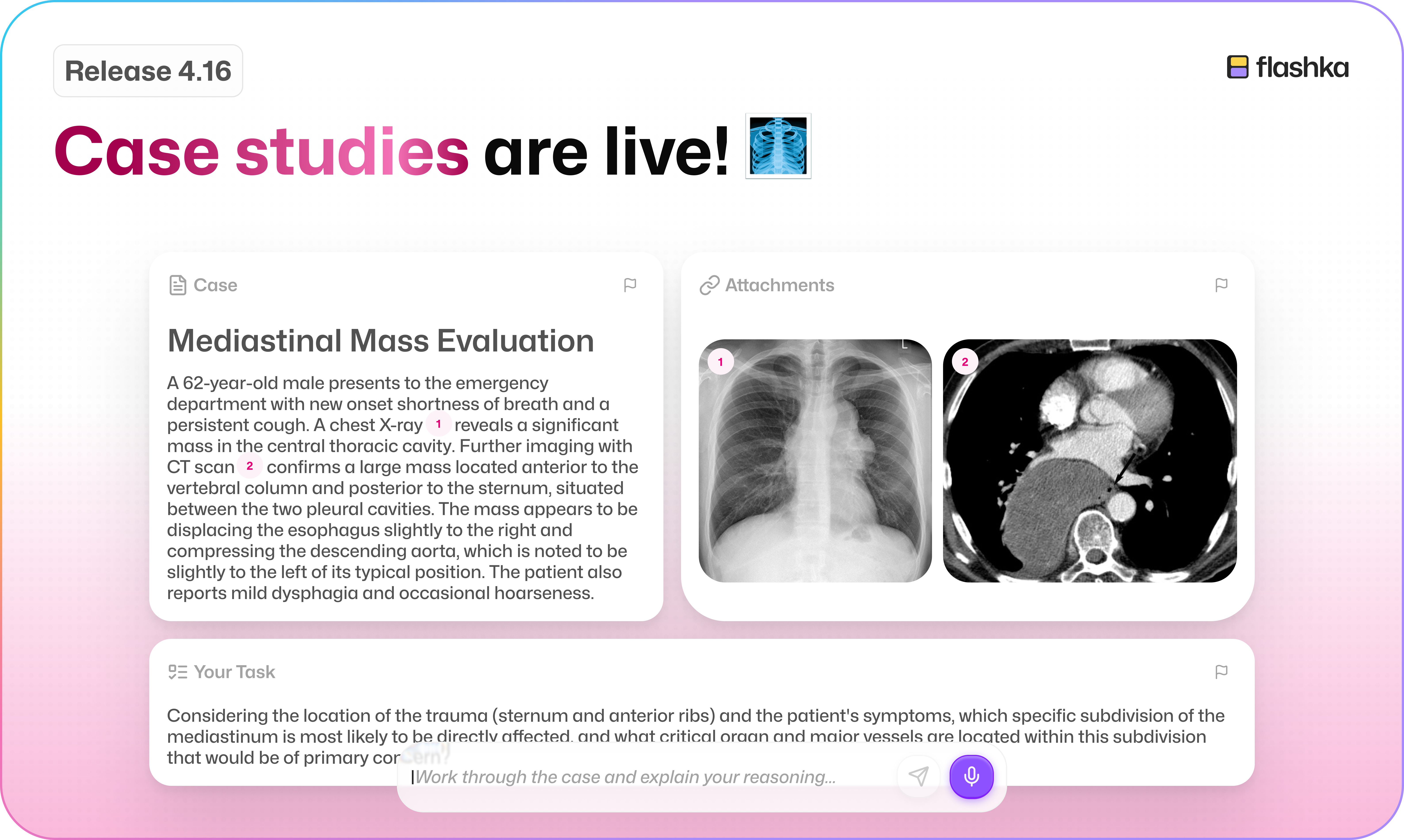
Remember Case Studies in alpha?
You loved it, so it's officially here 🎉
This update is all about putting your knowledge to the test: solve real-world scenarios and get scored, generate study images right inside your chat with Ka, and race your friends on study time too.
Let's dive in 👇
1. Case Studies Are Here 📚
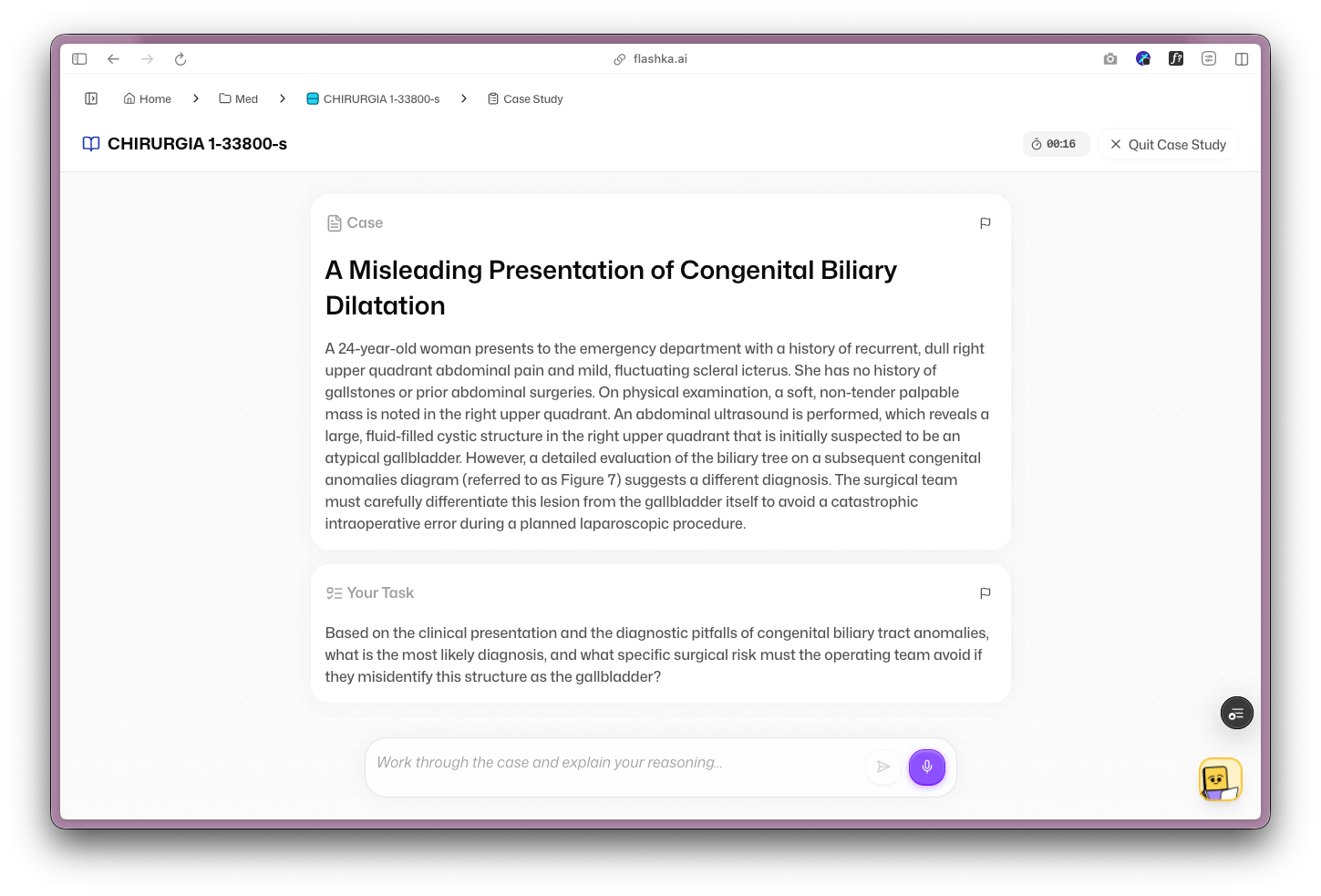
You voted for it, and now it's out of alpha: solve real-world scenarios and get scored on how you did.
It shines for medical and law students, but it works just as well for business cases, physics and maths problems, biology, and plenty more.
To start one, tap Study now → Case Studies.
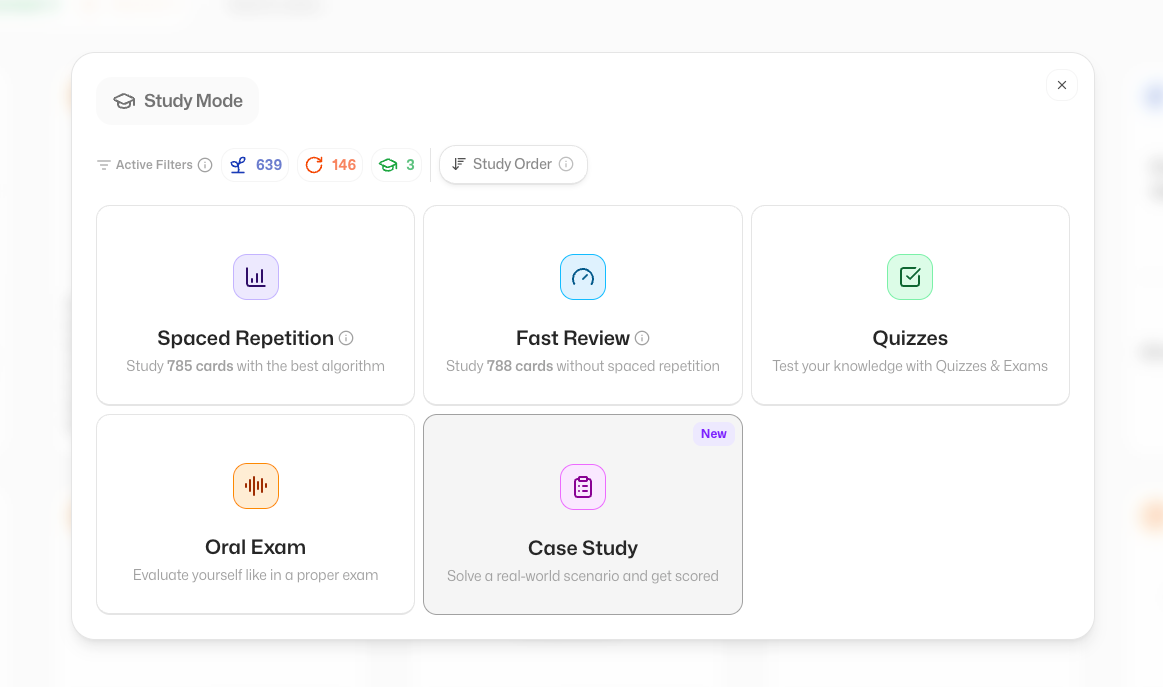
You'll find two modes:
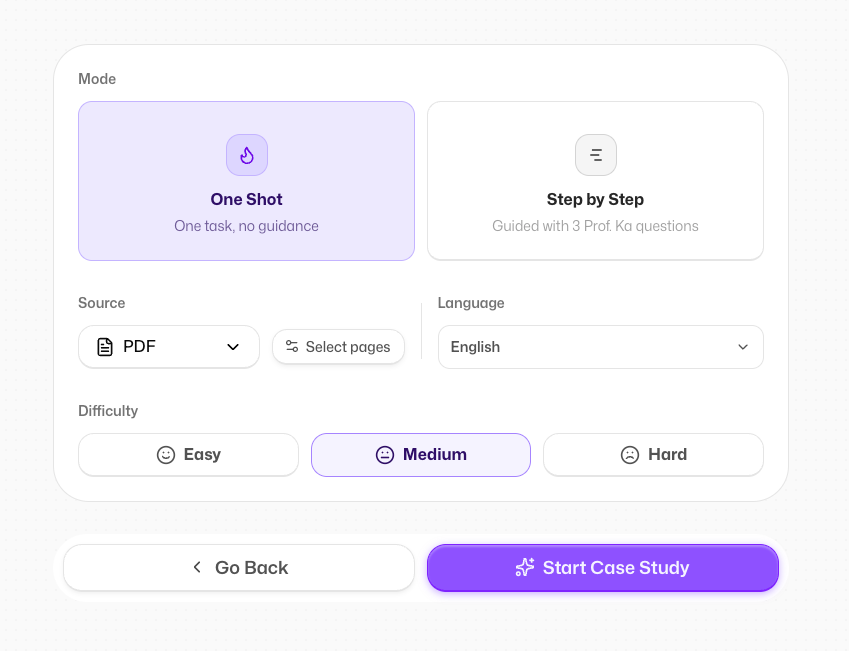
One Shot 🎯
A single task to solve, no guidance and no hints. Perfect for really putting your knowledge to the test.
Step by Step 🪜
Three questions guided by Prof. Ka. Ka points you in the right direction, but won't solve the case for you.
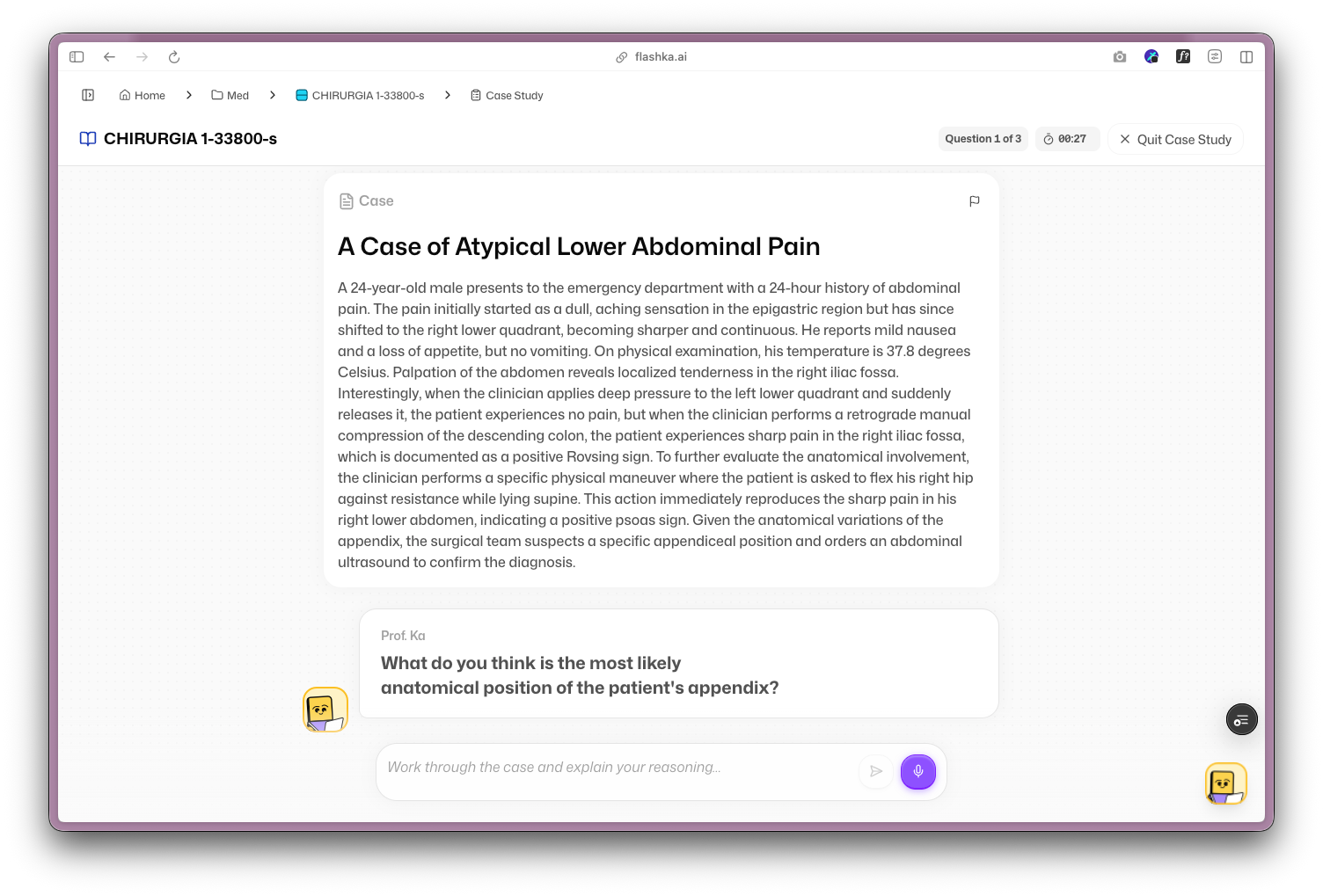
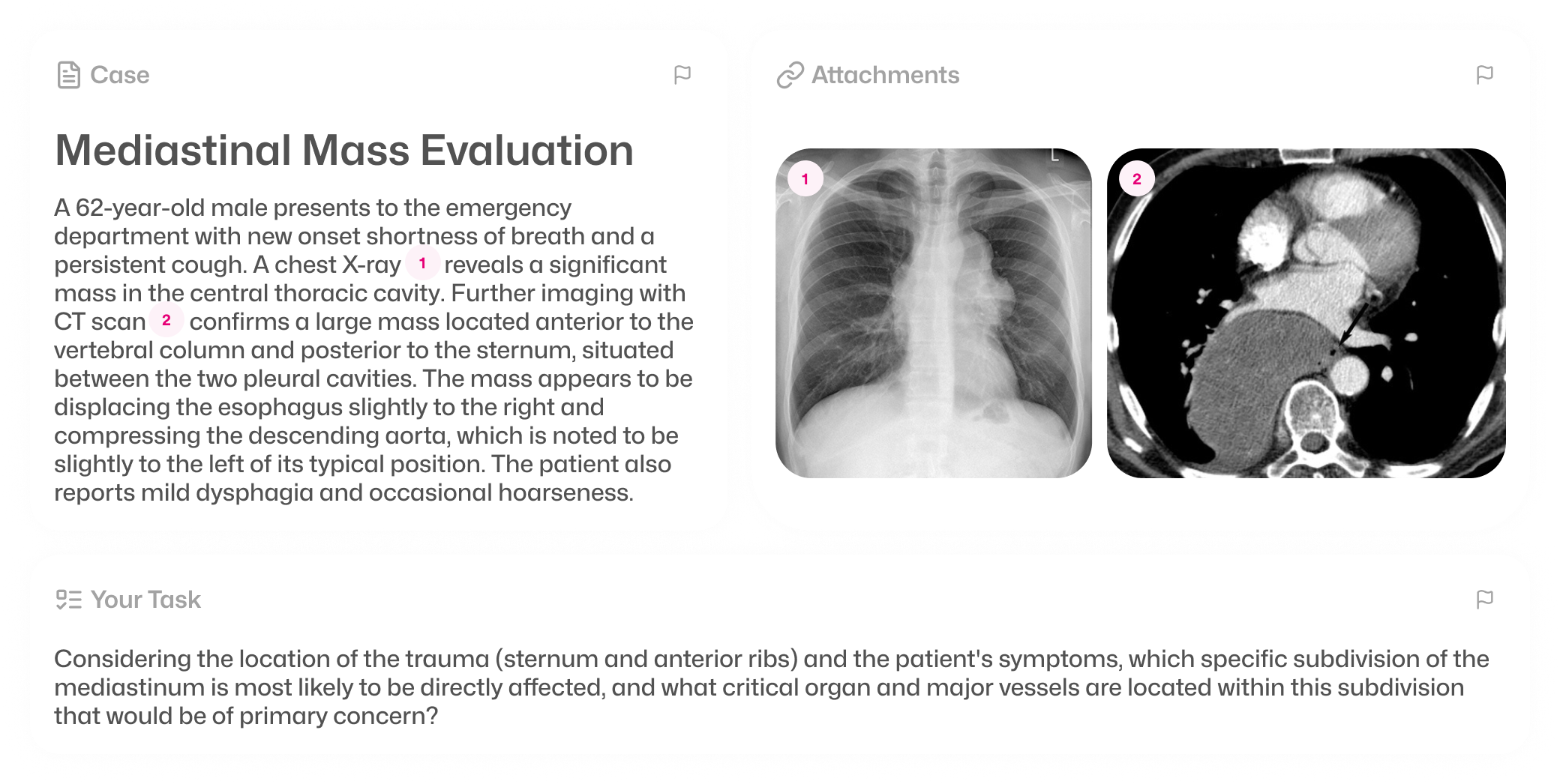
Images for reference 🖼️
Ka often brings in images to support the case. They're not AI-generated, they're hand-picked from Wikipedia, and if one doesn't fit you can flag it with the report button.
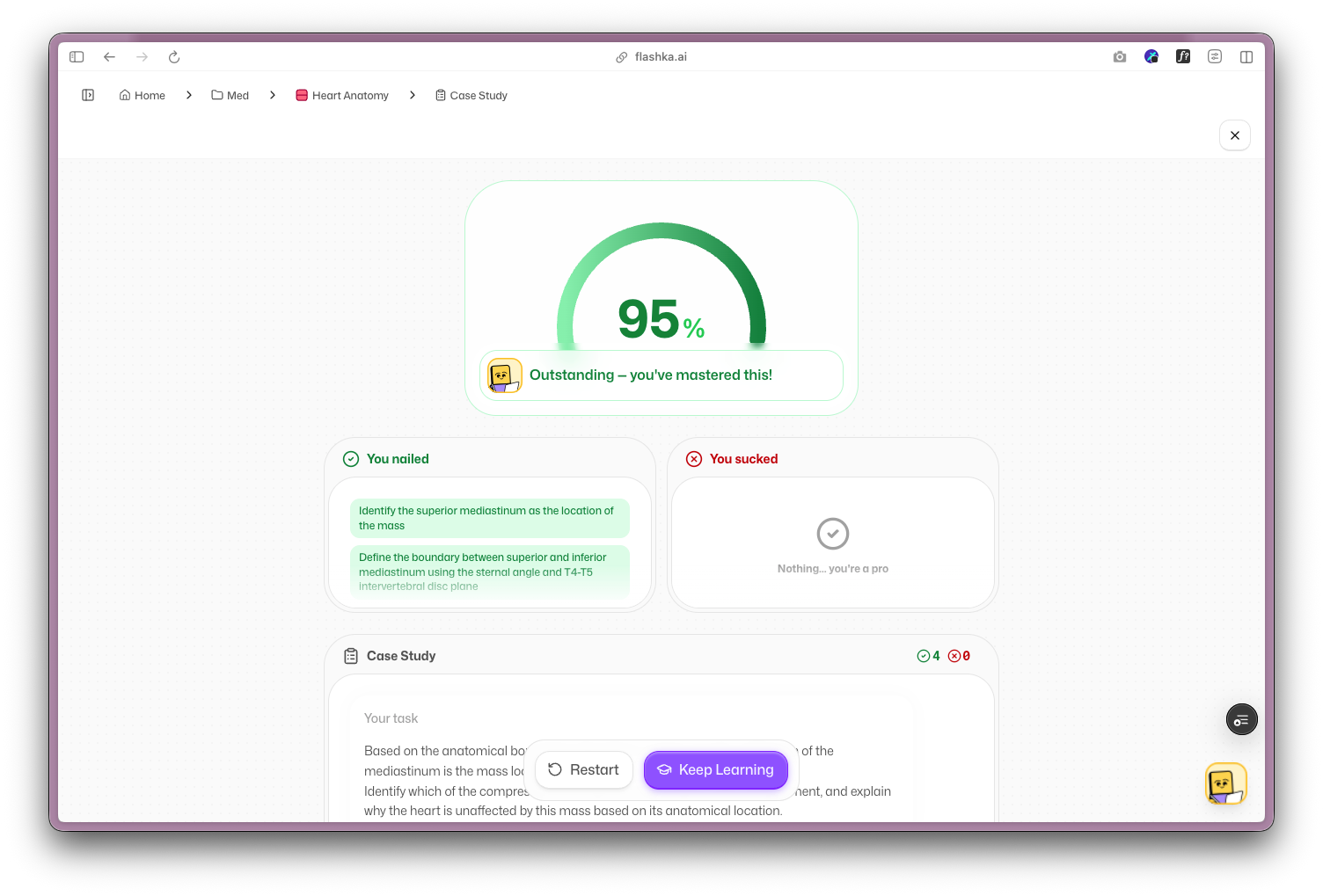
Your results 📊
Just like oral exams, you get a clear breakdown of what you nailed and where you went wrong, so you always know exactly where you stand.
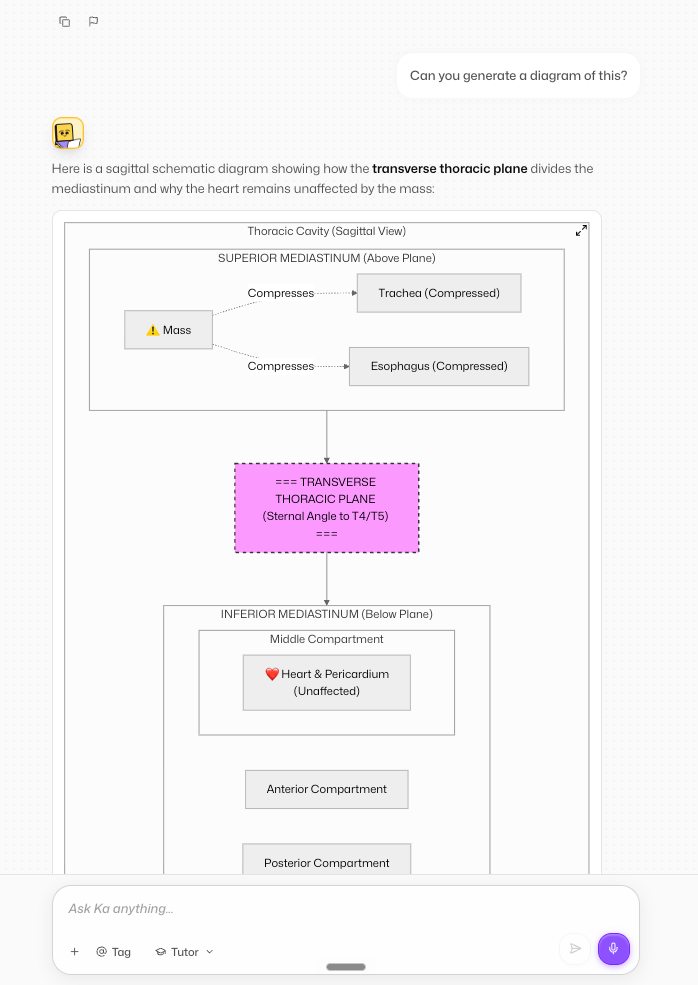
2. Ka Can Draw and Create Pics for You Now 🎨
Need a diagram to make something finally click?
Now you can ask Prof. Ka to generate images right inside the chat.
It's perfect for diagrams and visuals that make tricky topics easier to understand. Just ask for it, or tap the suggestion chip, and Ka handles the rest.
Ka can now put together proper diagrams too, not just pictures, so complex ideas are laid out clearly at a glance.
3. Study Time on the Leaderboard ⏱️
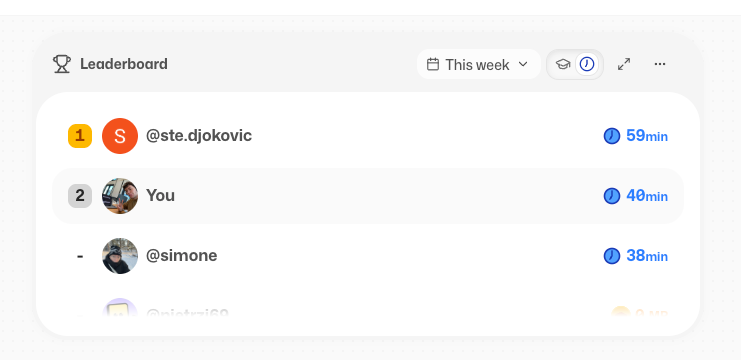
Ready to compete on more than mastery points? Now you can see who's actually putting in the most hours too.
In your study group leaderboard, switch tabs and tap the clock icon to see everyone's study time. And just like mastery points, you can hide yours whenever you like.
4. Study with a Controller 🎮
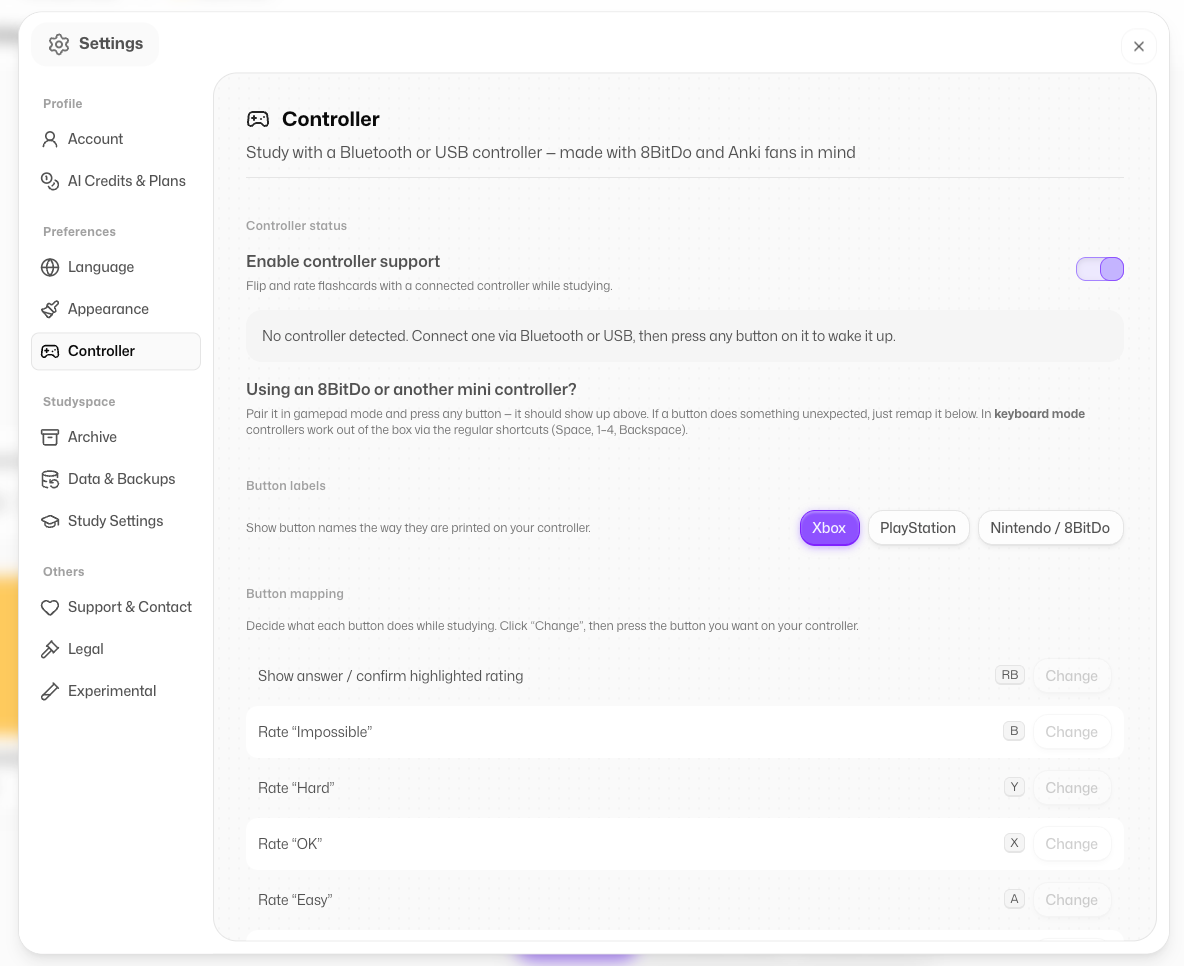
Sometimes you just want to lean back and study.
Now you can connect any controller (yes, your PlayStation one counts 🎮) and flip through your flashcards or Quizzes without touching the keyboard.
Go on Settings>Controller to personalise your key binds
5. Little Fixes & Polish ✨
We also shipped a bunch of smaller improvements to make everything smoother:
Create Oral Exams straight from your flashcards
Faster PDF uploads
Big images in your flashcards now compress automatically, so cards load faster
No more crashes when using Google Translate on the page
Editing cards in study mode on the app is fixed
A smoother experience between app and web, with mind maps now more reliable for English requests
Coming Soon @Flashka 💜
As always, you decide 🫵 Drop a comment with the one you want next:
Calendar to plan your study sessions 📅
More widgets (Pomodoro timer and friends): suggest yours in the chat!
Add a friend and see activity (social feature)👯
A full app redesign (see already the new buttons???)🎨
Flashka News 📰💜
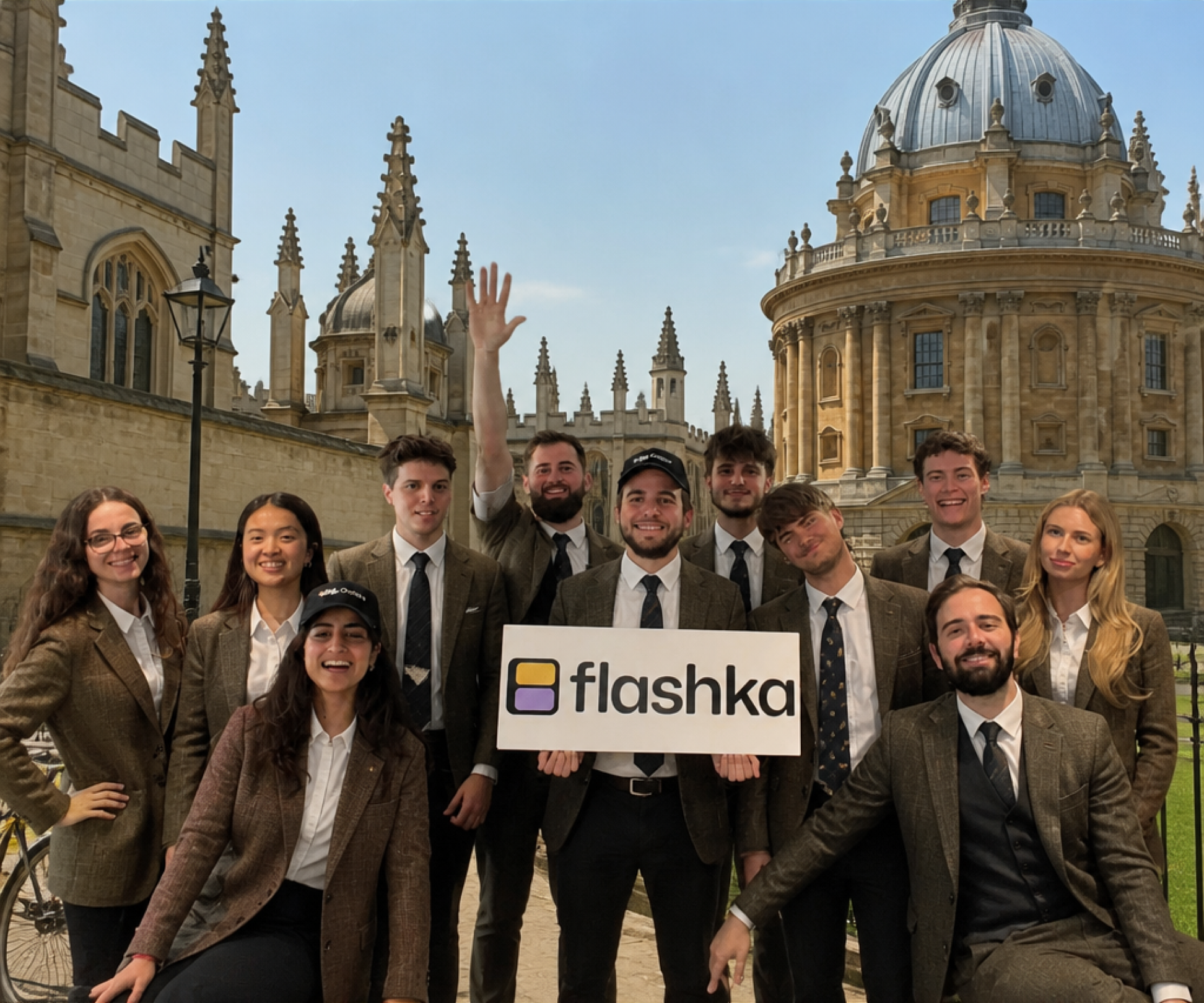
We're planning our off-site in Oxford 🎓
If you want to meet us in person, reach out! We'll be at the Freshers' Fair in Week 0, and we might just throw a little party too in the same week🎉
Can't make it in person?
You can still meet us virtually, book a call 👇
📞 Book your slot here: https://cal.com/simoneflashka/have-a-chat-with-me-get-life-time-access
So go test yourself with Case Studies and see if you can crack them.
And please let us know if you spot anything that isn't quite right 🙏🏻
Happy studying (or summer)! ✨
Simo & The Flashka Team 💜