2.2.1: Drag & Drop Images and Polished Image Occlusion 🎆
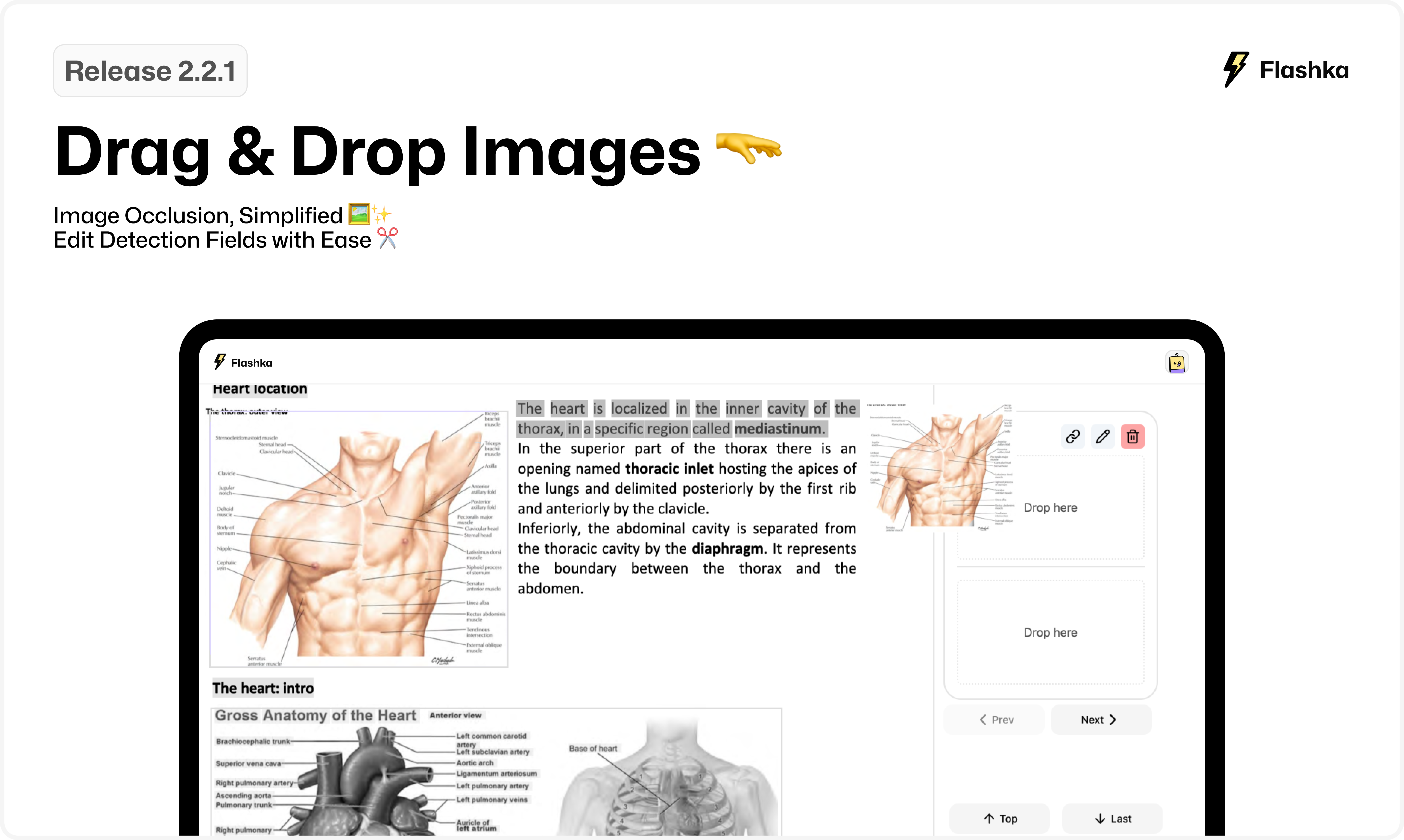
This week, we’ve introduced a new technology that automatically detects images in your notes, unlocking a whole new set of tools to make working with images faster and easier. Check out what’s new👇
1. Drag & Drop Images 🤜 🫳
Now, handling images is as simple as it should be!
For detected images ⬇️
Just hover on an image, drag it, and drop it into the flashcard next to it
For external images ↗️
Drag and drop an image directly from your desktop or window into your flashcard to upload it.
Easy, natural, and intuitive!
2. Image Occlusion, Simplified 🖼️✨
Creating occlusion cards has never been faster! Hover on a detected image, click the Image Occlusion button, and voilà—your occluded card is ready to be edited and created in seconds.
✨ Pro Tip:
Want to create additional occlusions out of the detection?
Use the Rectangle Tool in the top-left toolbar to add another frame, then make occlusions from those areas too!
3. Edit Detection Fields with Ease ✂️
We know sometimes detection could not be perfect, so we’ve made it easy to tweak:
If an image wasn’t detected properly or two images were merged, just hover over the detection, click the Crop button, and adjust the field instantly.
Give these updates a try and share your thoughts!
Even a quick emoji helps 👇
Happy studying! 📚
From Flashka Team with 💜